Fixing the Google Assistant on My Android Work Profile
Kyle Niewiada on April 10, 2021
5 Minute Read | Guide
Updated on April 22, 2022
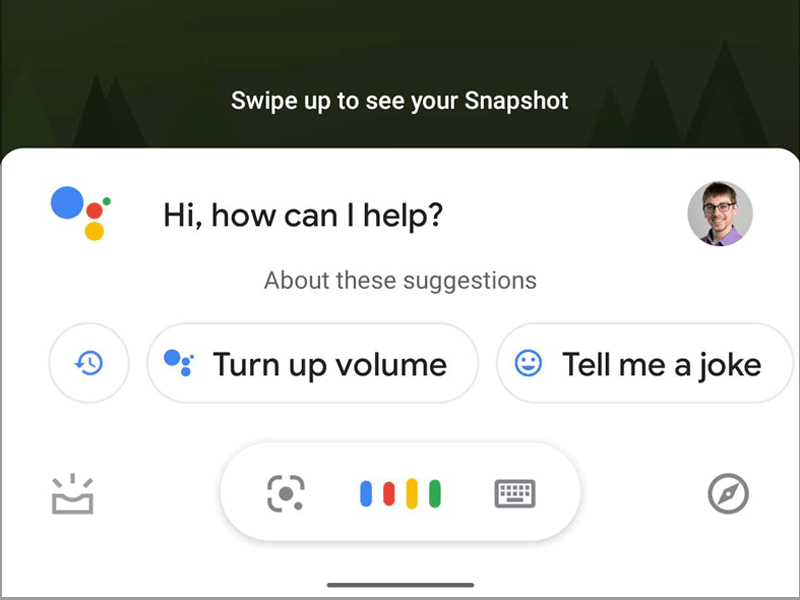
One of the products I develop for at work is a digital assistant for food service operations. Our voice component of the digital assistant is deployed to Google Assistant compatible devices through Actions on Google. To aid in my work I use a personal Android device to test our product.
In the last few months I have run into conflicts using the Google Assistant on my device’s work profile. For the uninitiated, the Android work profile is a separate space on the device dedicated to walling off the areas between personal apps and work apps. Since my work developer account is tied to the company organization, it encourages me to use a work profile when using the account on my device.
Problematic Assistant
The problem is that while using the work profile, the Default digital assistant app can’t be set. Worse, the Voice input can’t be changed back to Google if accidentally switched away since it’s “un-selectable”.
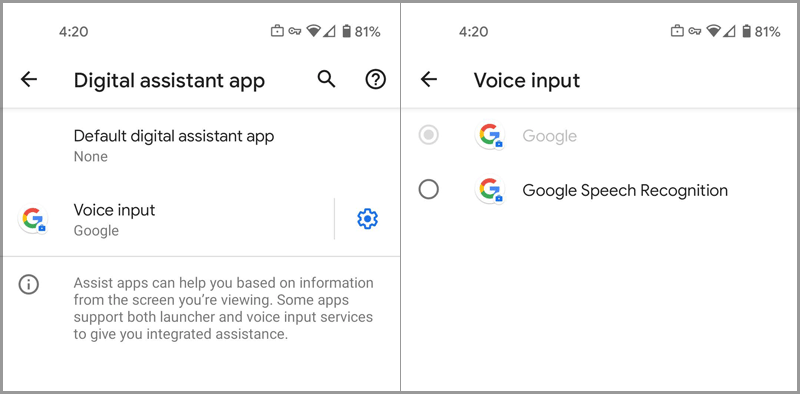 Unable to revert the voice input after changed
If the Voice input isn’t set to Google in the screenshot above, the work profile will fail to launch the Google Assistant.
Even worse, if the user tries to tap on Default digital assistant app to switch it from None, the screen will quickly navigate the user to com.google.android.permissioncontroller/Permission Controller and immediately return.
My theory is that there is a permission that can’t be prompted to the user under the work profile causing it to crash.
Secondary Bug
On a side note, sometimes while using the work profile the user will be shown The Google App isn't your default Assist App. on certain screens. I believe this bug can be resolved by disconnecting the Google app between the work profile and personal profile as shown below. This can be found under the Advanced settings section of the work profile Google app info page.
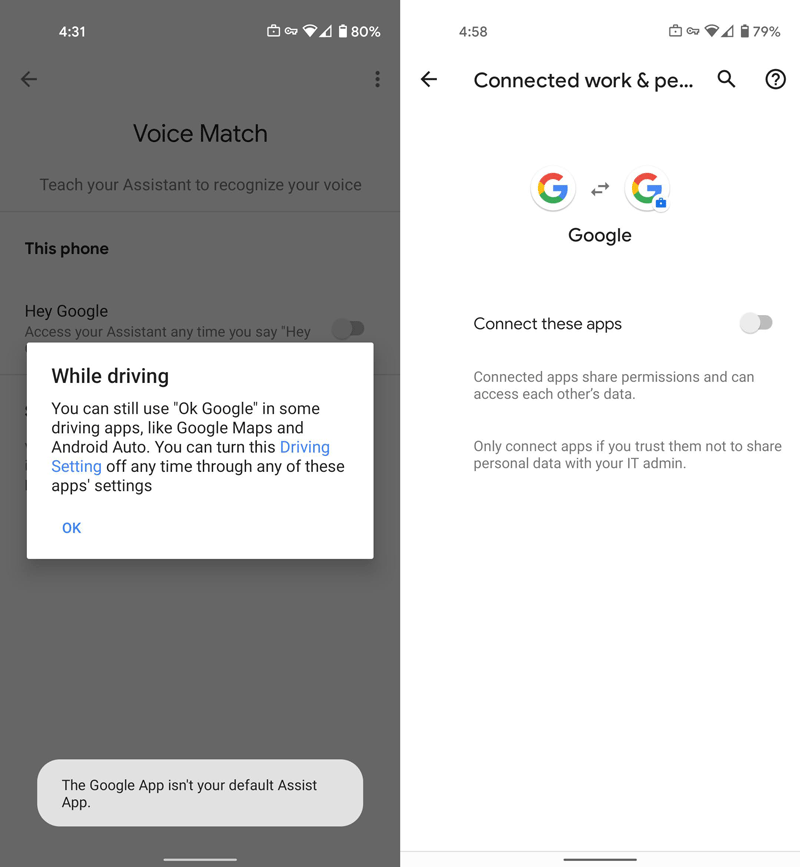 The Google App isn’t your default Assist App
Solution
Luckily, there’s a solution to launching the Google Assistant in the work profile. We do this by manually changing the secure settings on our device’s work profile to use Google as the Voice input for the digital assistant.
Requirements (that I know of?):
- Google Assistant is installed on the Android work profile
- ADB (Android Debug Bridge) is setup and connected to the device
- The
Default Assistant Appon your personal profile is the Google Assistant. We need this set to extract the correctvoice_interaction_servicefrom our personal profile.
It probably doesn’t hurt to keep the assistant the same between the personal and work profiles to reduce complications between the two spaces. But it’s not clear if that’s a requirement going forward.
Steps
Before we get started, I later learned how to fix this using only
adbby issuing the following two commands. One sets the default assistant setting, and the other seting the voice interaction service to use the Google Assistant. It’s set to run underuser 10, which is my work profile.
```bash
➜  ~ adb shell settings put --user 10 secure assistant com.google.android.googlequicksearchbox/com.google.android.voiceinteraction.GsaVoiceInteractionService
➜  ~ adb shell settings put --user 10 secure voice_interaction_service com.google.android.googlequicksearchbox/com.google.android.voiceinteraction.GsaVoiceInteractionService
```
-
First we find out the
userid of the work profile. Here I can see that it’s10.➜ ~ adb shell pm list users Users: UserInfo{0:Kyle:c13} running UserInfo{10:Work profile:1030} running -
Next grab the value for the
voice_interaction_servicefrom the personal profile. I included this step in the event Google changes the value in the future.➜ ~ adb shell settings get --user 0 secure voice_interaction_service com.google.android.googlequicksearchbox/com.google.android.voiceinteraction.GsaVoiceInteractionServiceIf I try to grab the
voice_interaction_servicevalue from my work profile, I can’t see anything becauseshellaccess is forbidden.➜ ~ adb shell settings get --user 10 secure voice_interaction_service Exception occurred while executing 'get': java.lang.SecurityException: Shell does not have permission to access user 10 com.android.server.am.ActivityManagerService.handleIncomingUser:15083 android.app.ActivityManager.handleIncomingUser:4290 com.android.providers.settings.SettingsProvider.resolveCallingUserIdEnforcingPermissionsLocked:2162Now that we have the value for
voice_interaction_service, we need to write it back to our work profile.Since the work profile on my device restricts sideloading APKs and shell access, I need an app that can edit the
Settings Databaseon my behalf. I chose SetEdit.Make sure you install the app to your device using your work profile or you won’t be able to change the correct setting.
-
Grant
WRITE_SECURE_SETTINGSpermissions to the app.➜ ~ adb shell pm grant --user 10 by4a.setedit22 android.permission.WRITE_SECURE_SETTINGS -
Open up the
SetEditapp on the device. -
Under the
Secure Table, find thevoice_interaction_servicekey and update the value grabbed by the personal profile earlier. In my case it is:com.google.android.googlequicksearchbox/com.google.android.voiceinteraction.GsaVoiceInteractionService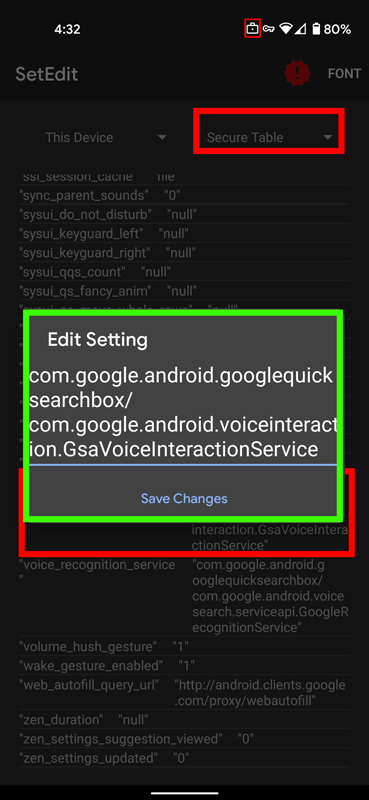 Updating the
 voice_interaction_servicewith SetEdit -
Under the
Secure Table, find (or create) theassistantkey and update the value to:com.google.android.googlequicksearchbox/com.google.android.voiceinteraction.GsaVoiceInteractionService -
The result should be instantaneous. Go ahead and open up the Google Assistant app in the work profile via its app icon. It should now load!
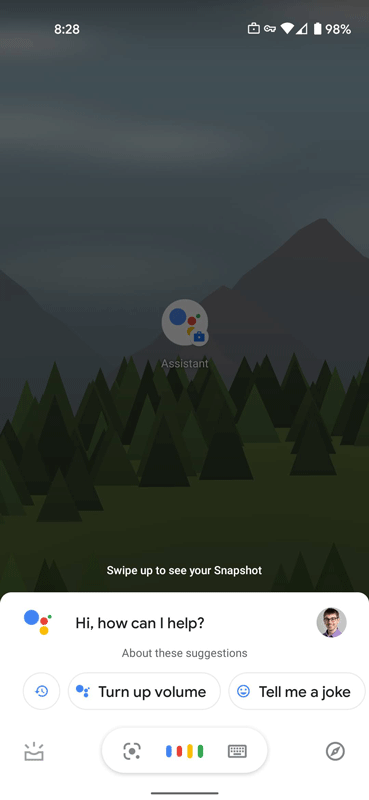 Google Assistant launching on the work profile
Conclusion
The work profile on Android is a neat idea. Separating the user spaces to keep data apart is a cool concept to protect a user’s privacy. However, sometimes the system level apps have trouble in this separate space. Especially when they rely on API/Screen calls that aren’t quite available.
I hope Google resolves this issue in the future as it’s a very annoying bug. Until then, this should serve as a guide to help other users fix their Google Assistant in the work profile.